

































Understanding the Importance of a Clutter-Free Workspace
The Psychological Impact of Clutter on Focus
A cluttered workspace often leads to a cluttered mind. When your desk is overflowing with papers, gadgets, and miscellaneous items, it becomes difficult to concentrate on the task at hand. Clutter creates a constant distraction, pulling your attention away from your work and increasing stress levels. This mental overload can cause decreased focus, impaired decision-making, and overall reduced cognitive function. Recognizing the psychological toll a disorganized environment takes on your ability to focus is the first step toward a more productive workspace.
How an Organized Environment Boosts Productivity
Conversely, an organized workspace fosters a calm and clear mindset, allowing you to focus more effectively. When your desk is tidy and everything has a designated place, you waste less time searching for items and more time completing tasks. An orderly setting not only improves efficiency but also promotes motivation and creativity. The peace that comes from a neat environment reduces anxiety, making it easier to work for extended periods with sustained attention.
Preparation Before You Start Decluttering
Gathering Necessary Supplies
Before diving into decluttering, it’s important to prepare the right supplies to streamline the process. Gather multiple boxes or bags for sorting items into categories such as keep, recycle, or donate. Simple household containers like film canisters or shoeboxes can prove useful for organizing smaller items like cables. Having a shredder nearby is essential for safely disposing of personal documents. Additionally, having a scanner ready allows you to digitize important papers and reduce physical clutter. These materials ensure you won’t get stuck mid-process searching for storage or disposal options.
Setting Realistic Goals and Timeframes
Decluttering a workspace can feel overwhelming if approached without a clear plan. Setting achievable goals helps keep you motivated and prevents burnout. Focus on one section or box at a time rather than attempting to tackle the entire desk all at once. Allocate specific time slots for decluttering sessions and be generous with deadlines to avoid rushing. This thoughtful pacing allows you to build momentum gradually while maintaining energy and focus throughout the project.
Step 1: Clear and Categorize All Items
Sorting into Keep, Dispose, or Donate
The first major step in decluttering is to clear your workspace completely and sort everything into three categories: keep, dispose, or donate. This method helps you assess the necessity of each item objectively. Items you no longer need but are in good condition can be donated, while broken or irrelevant objects belong in the disposal category. This systematic sorting reduces clutter drastically and clarifies what truly adds value to your workspace.
Assessing the Functionality of Workspace Items
After sorting, evaluate the items you intend to keep based on their functionality. Consider whether each item supports your current work habits or goals. For instance, outdated stationery or gadgets that you never use should be let go. Items that genuinely help you work better deserve a place on your desk or within easy reach. This assessment ensures your workspace remains practical and efficient, eliminating unnecessary distractions.
Step 2: Create Zones for Different Work Activities
Designating Areas for Digital Work, Paperwork, and Supplies
Once your items are sorted, organize your workspace into specific zones tailored to your work activities. Designate a primary area for digital work with your computer and peripherals arranged ergonomically. Allocate a separate section for paperwork that includes folders or trays for incoming and outgoing documents. Finally, establish a supply zone for office essentials like pens, sticky notes, and chargers. These distinct zones help streamline your workflow and reduce the mental clutter of switching between tasks.
Optimizing Accessibility and Comfort
In creating these zones, consider both accessibility and comfort. Frequently used items should be placed within arm’s reach or in top desk drawers for convenience. Store less-used materials in lower drawers or cabinets to maintain a clean surface. Proper chair height, lighting, and monitor position also contribute to comfort and reduce physical strain. Organizing your workspace thoughtfully maximizes ease of use and promotes a stress-free environment conducive to concentration.
Step 3: Implement Smart Storage Solutions
Choosing the Right Organizers and Containers
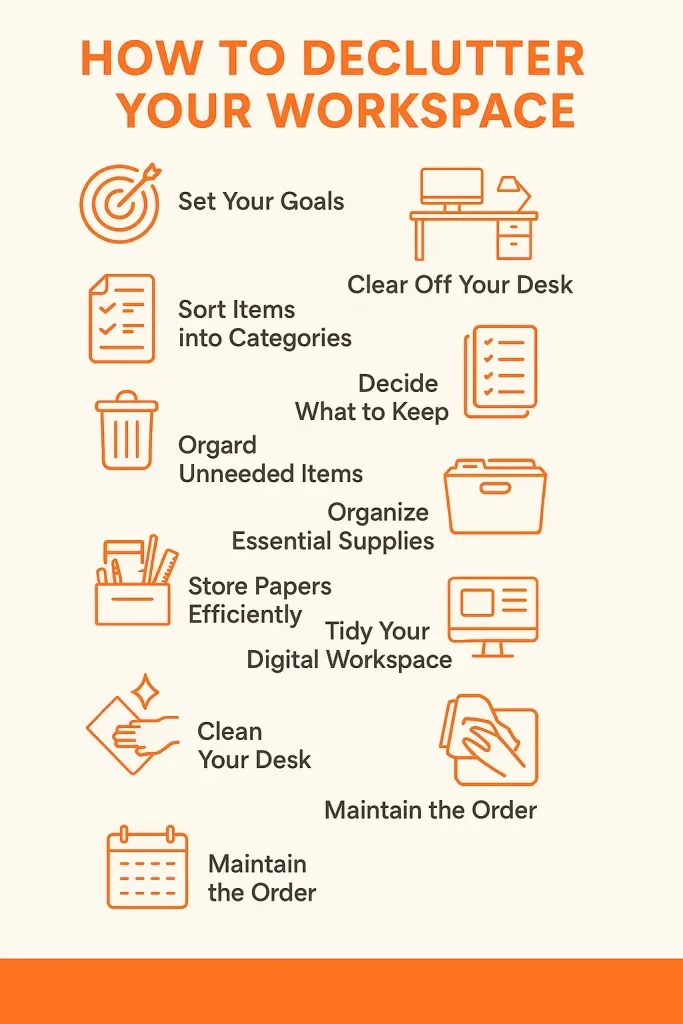
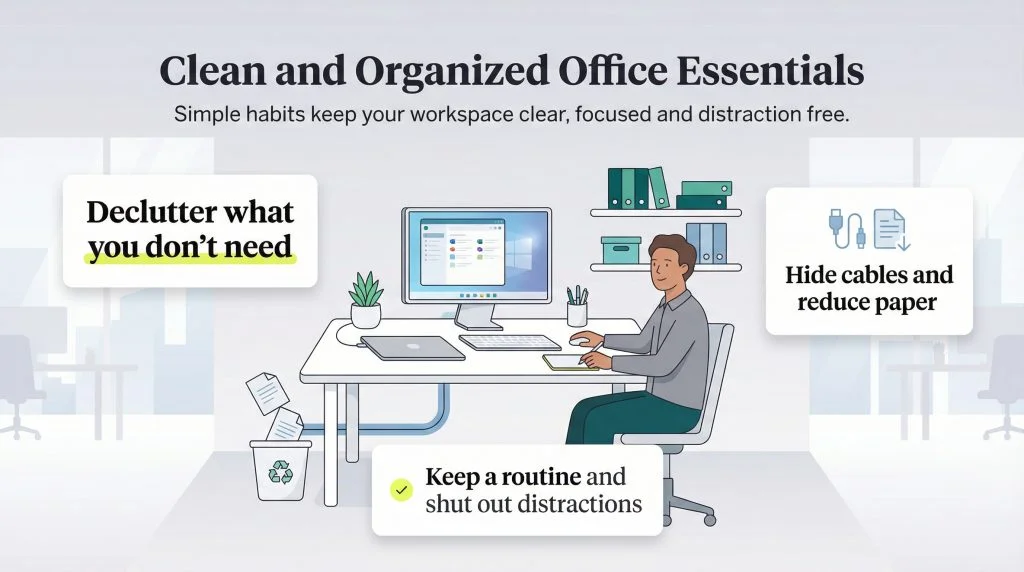
Smart storage solutions can transform your workspace by keeping clutter out of sight while maintaining order. Select organizers that match the size and type of items you need to store, such as drawer dividers for stationery or vertical file holders for documents. Household items, like film containers, are surprisingly effective for small objects like cables and paper clips. Labeling storage containers and cables clearly prevents confusion and saves time when retrieving items later.
Utilizing Vertical and Hidden Storage
To maximize space, make use of vertical storage options such as wall-mounted shelves or pegboards. These allow you to keep items organized without crowding your desktop. Hidden storage, like under-desk drawers or cabinets, helps maintain a minimalist surface while still keeping necessary supplies within reach. By optimizing vertical and concealed spaces, you can create a neat workstation that supports focus and reduces visual distractions.
Maintaining Your Decluttered Workspace
Daily Habits to Keep Your Space Organized
Maintaining a clutter-free workspace requires consistent habits. Start each day by tidying your desk and putting away any items left out from previous tasks. Develop the habit of sorting papers immediately as they come in and limit the buildup of unnecessary objects. Playing music while organizing can make the process more enjoyable and help maintain momentum. Establish these small practices to ensure your workspace stays organized and ready for focus every day.
Weekly and Monthly Maintenance Routines
Beyond daily upkeep, scheduling weekly or monthly reviews of your workspace helps prevent clutter from accumulating again. Use this time to recycle or dispose of unneeded papers and reassess storage needs. Cancelling magazine subscriptions or digitizing documents with scanners like the Fujitsu ScanSnap 1300 can reduce paper overload. Additionally, seek feedback from visitors who can offer fresh perspectives on potential clutter you might overlook. Regular maintenance keeps your productivity environment clean, efficient, and inspiring.
Bonus Tips: Enhancing Focus with Workspace Personalization
Incorporating Minimalist Décor
A clutter-free workspace need not be devoid of personality. Incorporating minimalist décor elements such as simple art pieces or a clean desk lamp can lift your mood without creating distractions. Avoid overcrowding surfaces with excessive decorations, focusing instead on a few meaningful items that support calm and clarity. Minimalist aesthetics encourage mindfulness and can enhance your ability to concentrate throughout the workday.
Using Plants and Lighting for Better Concentration
Natural elements like plants not only beautify your space but also improve air quality and reduce stress. Small potted plants or succulents are ideal for desks because they require little maintenance. Proper lighting is equally vital; working in well-lit areas with natural or warm artificial light reduces eye strain and keeps you alert. Thoughtful personalization that balances comfort and simplicity can significantly boost your focus and overall work experience.

